Posts

Showing posts with the label mac

Ms. Incompatible

Image
Many years ago, long before I began dating my husband, I dubbed him "Mr. Incompatible". The reason? While all of our friends were buying PCs, he bought a Mac LC ii. When most of our friends bought VHS camcorders, he went with an 8mm. You know, his stuff didn't work with anyone else's. Well, since I've upgraded to an iMac, I am now Ms. Incompatible. Let me share the issues: 1. Lion does not recognize my serial number for my copy of Final Cut Express. For a few weeks, I was wondering if I was typing the number wrong, only to find a little blurb in C Net that says "Noooo, there's a glitch in Lion that does not recognize Version 4.0 serial numbers. Of course, the product is no longer supported, so I can't upgrade and fix the issue. Thankfully, I was able to jump to Ed's MBP to create that video for class. 2. Lion's version of Adobe Acrobat (or Flash, not sure which is conflicting) is NEWER than the version in my brand spanking new,...
You Can't Get There From Here with QuickTime

Image
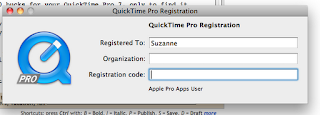
Apparently, QuickTime wants to make things a little difficult. See, my lovely Mac 2.0 came loaded with QuickTime 10 (or X, depending on which nomenclature you're looking through). There is a QuickTime 7 Pro, but since it's an earlier version, you cannot upgrade 10 with 7 Pro. This begins some fun and I'm sharing it here in case others are googling "QuickTime Pro 7 Installation" or "QuickTime X to Quicktime Pro" and wondering what the deal with this install is all about. So, if you're like me and paid 30 bucks for your QuickTime Pro 7, only to find it doesn't install. First, go to the Apple website , then select the OS you have (in my case, 10.6.8). Download that version of QuickTime 7. That version will not show up in your home row. No, you'll find it in your applications menu, in the Utilities folder. Click on the Quicktime icon to launch it. Next, go into the QuickTime pull down menu at the top left of your screen and the third item dow...

Apple Goes Above and Beyond

Image
I only touched on it briefly back in March, the experience of Mi Manzana (MacBookPro 1.0) having a taste of Riesling and rejecting it. Seriously rejecting it. I tried various tactics of drying it out, such as paper towels in a closed laptop that was stored upside down, then standing it on its end, and taking the cover off of it. Despite being quick in trying to get the liquid out, it did not work. About a month ago, I tried turning it on and there were signs of life, and it quickly died again. Troubleshooting and noticing that the machine does get power when plugged in, I thought that perhaps it'd need a new battery. However, I got liquid in it. My Applecare warranty doesn't cover damage of this type. So I didn't take it to the Genius bar, because I really didn't have the funds at the time to fix it (online searching brought up repair costs of at least $350.) Reports I'd read suggested keeping the mouth zipped on the source of the problem. That didn'...

Things I've Learned About JavaScript in the Past 48 Hours

Image
1. It doesn't seem to like me coding it in Dreamweaver split view. 2. It doesn't show up in my Safari browser window because, apparently, Safari 5.0.5 is incompatible with it. 3. I'll have to downgrade my version of Safari to 4.0.5 to fix this issue. 4. JavaScript was native to Netscape Navigator, and as such, the textbook we're using for class recommends coding and debugging in this browser. 5. Netscape Navigator hasn't been around since 2007, which gives you an idea how old this book is. 6. The textbook also suggests utilizing a text editor named Homesite, as it's the author's absolute favorite for coding JavaScript. 7. That website and associated product has been gone since 2009. 8. That this *slightly* outdated textbook would have cost $443.00 to print out, had I chosen to do so via Staple's website. 9. In store, with the THREE binders and 744 pages printed, it cost just under $80.00 to have a hard copy of the textbook that I could mark up and hig...

May I Have a Tutorial for My Tutorial?

Image
One quarter of my grade in this last class is to create a tutorial with five different software packages that are used to create presentations. The objective was to create the same educational tutorial, just modify it to use the bells and whistles of the various programs. So, there were five. SoftChalk, Articulate, Camtasia, Captivate and Lectora. I started with the SoftChalk and the time to complete the task was not extremely long, but I probably put about an hour more work into this program due to the learning curve. Then I played with Camtasia and Captivate, two programs that I had purchased for the Mac, but hadn't installed until this week. Camtasia was ridiculously easy to use and turned out a fantastic voiceover presentation that was synched with a Powerpoint slide. (If I created the project on PC, I would have been able to add a quiz.) Now that I've used three other Adobe products, Captivate made a lot of sense and I really liked it. The learning curve was crazy f...

Fried

Image
What happens when your A/C adapter doesn't charge your laptop? You can't do your school work. I tried the magnetic connector both ways (it is omnidirectional), five different outlets, and both the wall wart and 3 prong attachments and no juice is getting to the Mac. Today, I'm on Ed's machine and banging out schoolwork that doesn't require me to download stuff. This means the crazy easy classwork that's not due until February 14th is done and turned in, the stuff that I need to turn in next Monday has to wait and then as soon as I'm done reading as many tutorials as I can on this machine, I'll be sitting with my lone textbook and reading for Tuesday night's class. I admit it, I'm a Machead now. I keep hitting F3 to toggle screens and do ctrl x ctrl c ctrl v instead of dropping the first part. A drive over to Brandon in the morning to the Genius Bar is on tap. I fully expect to walk out ten minutes later with a new cord.

A Week With The MacBook Pro

Image
It's a cute little thing. In a nod to the Spanish class, it was dubbed 'mi manzana,' and that appears to have stuck. There are things to adjust to, but nothing too terribly annoying. For instance, at first, I was having a hard time reading the screen. Yes, I know I need new glasses, but did I need the computer to point that out for me? By accident, I quickly found that command and plus enlarges the text. Yay! There is no page up as I'm used to. There is a command combo for that as well, but I'm not sure what it is yet. That will come soon. I was trying to type an assignment in Word. For some reason, I'd expected it to be identical, which it is not. It's fine, but you know how you get used to using something a certain way for (almost) twenty years? The functionality is identical, but the cosmetics are different. Like driving a different car. A friend's husband works for Microsoft and she explained that there are two different development tea...

Manzana

Image
Many years ago, my circle of friends was full of techies. Early adapters, we all were. I sold computers, a few friends worked in the tech sector, others worked in television production. We all subscribed to the various magazines espousing the joys of new technologies. It wasn't really a surprise when Bob showed up with a top of the line camcorder that recorded in three modes, when Joe had his first real job and got a four track mixing board (this is a guy who made a drum machine out of a piece of cardboard and pins!) and eventually, we all got computers. Back then, Ed was dubbed 'Mr. Incompatible', for while everyone who had a camcorder owned a VHS based one, he bought an 8mm. We all purchased IBM clones, he purchased a Mac. At the time, Apple had a 10% market share-and a handle on most of the software that Ed coveted. When we began dating, I was quite excited to purchase him a 3.5 floppy of Castle Wolfenstein for Mac the day it came into my store. Meanwhile, he was d...

Droolworthy Deal

Image
It's that time again! The boys and I were near scouts very early today, so we decided to kill some time in the mall. As there is an Apple store, we ventured in to look at the goodies. We all gravitated towards the various toys, me to the MacBook Pro that is an asset for a student in the grad program I'm headed for, Chef towards the iPod Touch he covets and GameTeen towards the iPod Nano he wants because this version plays video and his does not. Well, the signs were hard to miss. If you're headed back to school, buy a Mac (any Mac) and you'll get an 8 gig iPod Touch for free . They'll prepare the rebate before you even leave the store. Can you understand why we tell the staff "we'll wipe up the drool before we leave the store"? Oh yeah, if you're tempted, you have until September 7th...